Kraken
BTC · Bitcoin- Withdrawal fee
- 0.000015 BTC
- Minimum
- 0.000218 BTC
Compare asset fees
Open exchange ↗
Affiliate link Checked 15.10 01:37 · Moscow time
features and terms

Phantom is a crypto wallet for your phone and browser. Receive USDT, USDC and SOL on Solana, send assets and connect to apps. You control your keys.
Official Phantom download links
Useful for Solana transfers, holding crypto and connecting to apps on supported networks.
Do not send USDT TRC-20 here: Phantom does not support Tron. Use the same network in your wallet and on the exchange for every transfer.
Choose an asset and network to compare exchange withdrawal fees, from lowest to highest. Enter an amount to filter out options below the reported minimum.
Enter a positive amount using digits and a decimal point.
No fresh withdrawal options match this selection and amount. Try another asset, network or amount.
These are exchange withdrawal fees. Buying crypto, wallet transactions and swaps have separate costs. An unreported minimum stays unknown; confirm the network, minimum and final amount on the exchange.
Choose the app or extension using the links above. Create a wallet and save your recovery phrase. If you choose Google/Apple sign-in, keep access to that account and enable two-factor authentication on it.
Use your wallet address for a regular deposit. On mobile it is in the Tokens tab; the Cash address serves a different purpose.
Paste the address into the withdrawal form and choose the same network as in Phantom. Check the fee, minimum and final amount you will receive before confirming.
Tap + at the bottom → Receive → Tokens. For SOL, USDT and USDC, choose Solana and copy the address. To use another network, change it below the QR code.
Open Phantom → Receive → choose the network → copy the address. One Solana address receives SOL, USDT, USDC and other tokens on this network.
Want to hold USDT or USDC? Use the Tokens address. USDT, USDC and PYUSD sent on Solana to the separate Cash address are automatically converted into CASH.
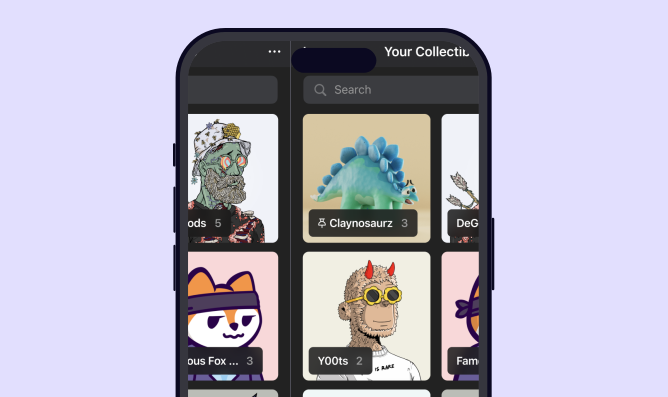
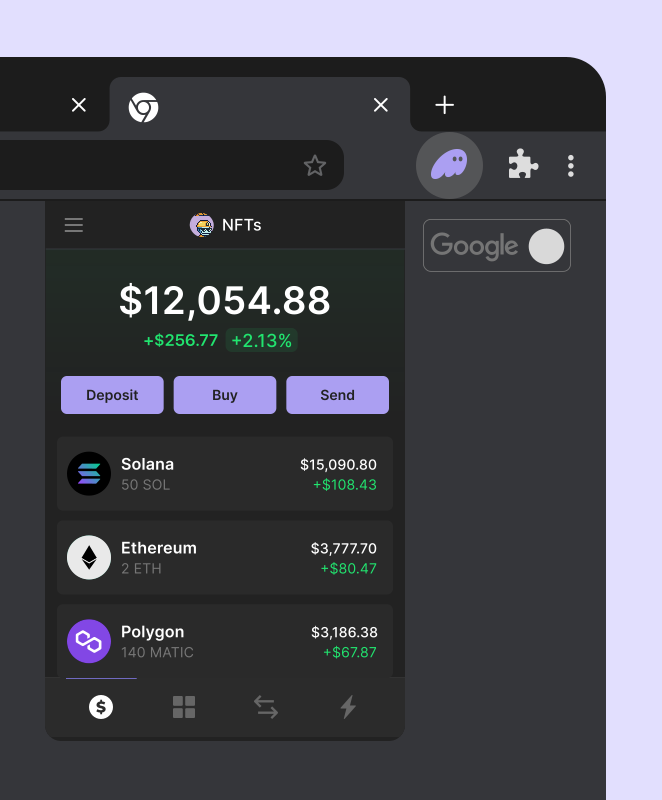
Phantom interface: official images of the mobile app and browser extension.
Funding from an exchange: withdrawal fees and minimums depend on the exchange, asset and network. The selector above compares this step.
Sending from Phantom: a network fee. Regular Solana transactions need SOL; Ethereum and Base transactions need ETH on the respective network. Gasless may pay for an eligible transaction using another token.
Swapping: most swaps include a 0.85% Phantom fee, network costs and possible price impact. For cross-chain swaps, the bridge provider fee is currently included in price impact; open Provider in swap settings for details. Review the final quoted amount before confirming.
Open Receive and copy your Solana address in the Tokens tab. On your exchange, choose USDT or USDC and the Solana network, then paste the address. USDT and USDC on Solana use the same receiving address as SOL. Compare withdrawal fees and minimums in the selector above.
No: TRC-20 uses Tron, which Phantom does not support. If your funds are already on Tron, you need a transfer or swap through a service supporting both networks first. The selector above compares exchange withdrawals, not cross-chain bridges.
Regular Solana transactions pay network fees in SOL. Phantom may offer an eligible transfer or swap that pays the fee from the token itself, called gasless. It still has a fee; eligibility and the amount appear before confirmation. Other networks require their own fee token: ETH on Ethereum cannot pay a Base network fee.
Check the address, selected account and network, then the transaction status in the blockchain explorer. Check hidden tokens and update the app. A stablecoin sent to the Cash address may have been converted to CASH. If the transaction is still pending, do not submit it again.
Open the deposit page for the asset and network on your exchange and copy the address. In Phantom, open the token and tap Send. On mobile you can also tap + → Send and change Cash to the token in Payment Method. Paste the address and check the network. If the exchange requires a memo/tag, include it; if the field is missing, stop and ask the exchange about its requirements.
Use your recovery phrase or the same Google/Apple account you used to create the wallet. The older sign-in setup may require a PIN; after the in-app upgrade it is no longer needed. Google/Apple wallets also let you save a recovery phrase through Settings → Security & Privacy → Show Recovery Phrase. Never share it: it grants full access to your wallet.
Phantom is a self-custodial wallet. Regular wallet keys are stored on your device; Google/Apple sign-in uses Phantom KMS to store keys in a secure enclave. Recovery depends on how you created the account. Save your recovery phrase before funding it.
These are verified combinations of network, action and interface. A missing row does not mean a feature is unavailable.
| Network | Action | Interface | Asset access | Usage terms |
|---|---|---|---|---|
| Base ETH | Receive · Send | Android · Extension · iOS | User controls keys | Available 2026-10-01 |
| Bitcoin BTC | Receive · Send | Android · Extension · iOS | User controls keys | Available 2026-10-01 |
| Ethereum ETH | Receive · Send | Android · Extension · iOS | User controls keys | Available 2026-10-01 |
| HyperEVM HYPE | Receive · Send | Android · Extension · iOS | User controls keys | Available 2026-10-01 |
| Polygon POL | Receive · Send | Android · Extension · iOS | User controls keys | Available 2026-10-01 |
| Solana SOL | Receive · Send | Android · Extension · iOS | User controls keys | Available 2026-10-01 |
| Solana USDC | Receive · Send | Android · Extension · iOS | User controls keys | Available Main wallet address; the Tokens tab on mobile. 2026-10-08 |
| Solana USDT | Receive · Send | Android · Extension · iOS | User controls keys | Available Main wallet address; the Tokens tab on mobile. 2026-10-08 |
Wallet
A wallet for transfers, swaps and connecting to apps. Previously named Tonkeeper; multichain features are available on mobile first.
iOS · Android
User controls keys
Checked 2026-10-01